Webinar: Autodesk BIM Collaborate Pro – Part II: Practice and Automation

BIM Academy is sharing recording of webinar Autodesk BIM Collaborate Pro – Part II: Practice and Automation. This session is designed for users who already have basic knowledge and want to gain insights into Cost Estimation, Quantity Takeoff, and data-driven decision-making in Autodesk Construction Cloud using real project examples. Webinar Goals Accurate cost estimation Efficient quantity management Data-driven, fast, and informed decision-making Sharing best practices and industry experience Who Should Attend? Architects Structural engineers MEP specialists BIM coordinators and modelers Project managers Students of technical universities Complete a short registration and receive the recording directly in your email.

Read more

Webinar: Autodesk BIM Collaborate Pro – A Complete Guide for Beginners and Professionals

BIM Academy shares the webinar recording:BIM Collaborate Pro – A Complete Guide for Beginners and Professionals During the webinar, you will learn about: BIM Collaborate Pro – What it is and how it works Why it is an essential tool for architects, engineers, BIM specialists, and project managers; What real-world problems the ACC platform solves; Autodesk Construction Cloud (ACC) – Interface Overview Docs, Collaborate, and Design Collaboration modules; File management, version control, and access management; How model navigation and workspaces are used; Core BIM Collaborate Pro Tools in Practice Model Coordination: clashes, issues, and automated checks; Design Collaboration: Packages, Teams, and model sharing; Revit + BIM Collaborate Pro – synchronization principles in real projects; Real Benefits for the AEC Industry How BIM Collaborate Pro reduces project errors; How it enables fast and flexible communication across all stakeholders; How it reduces costs and risks while improving overall project outcomes; Complete a short registration and receive the recording directly in your email.

Read more

The business value of Autodesk Construction Cloud

Today, leaders in the construction industry are constantly being asked to do more with fewer resources. Teams are under intense pressure — projects must be delivered faster, with higher quality and at lower cost — while also having to cope with economic instability, labor shortages, and rising material prices. This is no easy task. That is why companies are increasingly turning to technology and digital transformation to streamline workflows, improve on-site safety, and protect already tight profit margins. However, this is where the challenge arises: while adopting digital tools can be a game changer, accurately calculating return on investment (ROI) is not always straightforward. Are your technology solutions truly improving outcomes? And how can you demonstrate their impact on the business to stakeholders? At Autodesk, we firmly believe that the purpose of technology is not only to connect projects — it must also clearly demonstrate the real, measurable value it creates. Download the full document, explore the research, and learn more about the full potential and business value of Autodesk Construction Cloud.

Read more

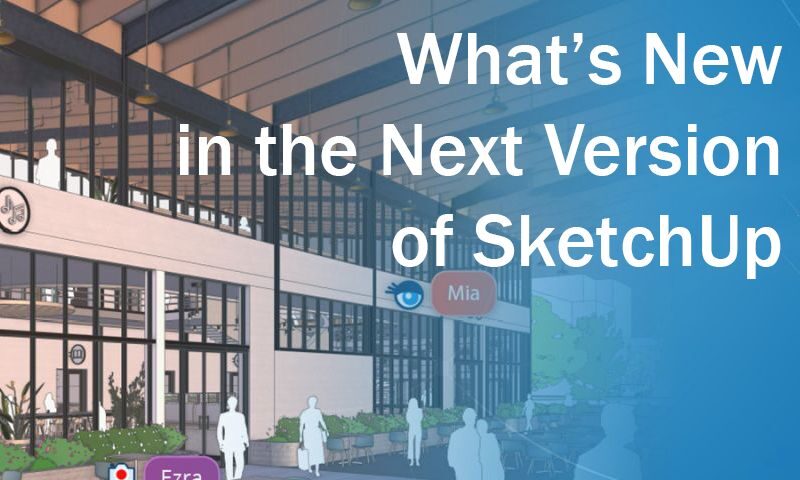
webinar: what’s new in the next version of SketchUp

We're sharing a recording of the Webinar: what’s new in the next version of SketchUp The webinar will cover:  Turning feedback into final designs with SketchUp’s new sharing and commenting tools  Enhanced 2D drawing capabilities  New methods for importing construction site context  More efficient use of point clouds  Improved visualization tools

Read more

Free webinar on Bexel Manager software

We are sharing a webinar recording on Bexel Manager software - “Project Estimating and Budgeting, Work Planning and Performance Control”. Learn: How you can use BIM models in the process of budgeting (5D), planning and work control (4D) with the help of Bexel Manager, a platform specialized in this field. The webinar is intended for: Project owners, general contractors and professionals from other fields. The webinar will discuss: Budgeting, cost management and budget monitoring; Task allocation on the site, performance reporting and progress control; How the BEXEL (CDE) platform integrates data and communication between various parties involved in the project; Examples of real Bexel Manager projects.

Read more

Webinar – Using SketchUp in Construction Processes

We are sharing a webinar recording where you will see how to improve and simplify construction processes with SketchUp. During the webinar, you will learn: ✔️ How to make construction processes easier? ✔️ SketchUp as a tool for effective communication; ✔️ Live demonstrations and real-world examples; ✔️ Question and answer session;

Read more

Webinar in Revit Software: Modeling, Document Organization, and Visualization

During the webinar, we will show you: Revit modeling techniques; Document organization; Design alternatives and visualizations; There will be time for Q&A at the end of the webinar. The event is intended for Designers and engineers Students and professionals who want to deepen their knowledge of Revit Revit users BIM users Speakers Lana Kochiashvili – Autodesk AEC Software Certified Trainer

Read more

Webinar for Structural Engineers – Steel Connection with Euro Codes Using IDEA StatiCa Software

We're sharing with you a recording of free webinar for constructors – “Steel Connection with Euro Codes Using Idea Statica Software”. During the webinar, we will show you: General overview of the software and interface; Determination of the stiffness class of a steel joint according to Eurocodes; Strengthening and processing of the joint; Extraction and summary of the report; At the end of the webinar, there will be time for a question-and-answer session. The event is intended For constructors and designers For Idea Statica users For BIM  users Speaker Mikheil Shashikadze –Structural Engineer at BIM Solutions Georgia Don’t miss the opportunity to make your work more valuable and efficient by using the technologies of the future and register to attend the webinar.

Read more

Webinar for Structural Engineer – ”Compilation of tables of different types of volumes”

We're sharing with you recording of webinar for constructors – “Compilation of tables of different types of volumes” using Tekla Structures software. During the webinar, we will show you: building a 3D model; placing the model on the layout; drawing up volume tables; to remove volumes; The event is intended For constructors and designers For Tekla Structures users BIM for users Speaker Irakli kapanadze – BIM Software support specialist in Georgia

Read more

Webinar for constructors – “Building a staircase structure with steel elements”

We're sharing with you the recording of the webinar for constructors - "Building a staircase structure with steel elements" using Tekla Structures software. During the webinar, we will show you: Review of properties of steel elements; building a model; Counting volumes; placing the model on the layout; At the end of the webinar, there will be time for a question-and-answer session. The event is dedicated to: For constructors and designers For Tekla Structures users BIM for users Speakers Irakli Kapanadze – BIM Software support specialist in Georgia Do not miss the opportunity to make your work more valuable and efficient by using the technologies of the future.

Read more

Webinar for Electrical Engineers – “Building a Single Line Diagram and Fire Alarm Overview” in DDScad

I am sharing with you the recording of a webinar for electrical engineers - "Construction of a single-line circuit and an overview of fire alarms" in DDScad. DDScad Electrical is software for electrical engineers and contractors. With it, you will design complete electrical systems for buildings. Its automatic functions ensure maximum efficiency of project execution, such as: Calculation of lighting by lux, automatic output of one-line diagrams, Full provision of material specifications, quantities, etc., Available product databases include intelligent components, symbols, macros, and parameter objects. Integrated calculations and control functions allow you to optimize your design. During the webinar, we will show you: installation of devices of different power; connecting these consumers to the distribution panel; to make a one-line scheme; on the fire alarm system installation scheme; Do not miss the opportunity to make your work more valuable and efficient by using the technologies of the future.

Read more

Webinar for Structural Engineers – placing the model on Layout and creating the drawings

We are sharing the recording of the webinar on the topic -  “placing the model on Layout and creating the drawings”, by Tekla Structures software. During the webinar, we will show you: Preparing the model for layout; General overview of the layout interface; Applying the desired stamp; marking modification; drawing out cuts and detailed drawings; generating tables and adding them to the drawing; drawing management-printing; The event is intended For Structural Engineers and designers For Tekla Structures users For BIM users Speakers Irakli Kapanadze – BIM Software support specialist in Georgia

Read more

Free Webinar – Revit and Tekla Software Collaboration.

We are sharing to you recording of the webinar – “Revit and Tekla software collaboration”. During the webinar, we will show you: Import a Revit architectural model into Tekla. Constructive processing of the architectural model in Tekla; Change of structural elements in Tekla; Import structural model into Revit.; coordination of structural and architectural models; At the end of the webinar, there will be time for a question-and-answer session. The event is intended for: for constructors; for architects; for MEP engineers; For Tekla and Revit users; BIM for users; Speakers: Lana Kochiashvili – certified trainer of Autodesk AEC software Irakli Kapanadze – BIM Software support specialist in Georgia

Read more

Free webinar for constructors – “Why we need detailed modeling for structures”

I am sharing with you the recording of a free webinar for designers - "Why we need detailed modeling for structures", Tekla Structures example. During the webinar, we will show you: 1.to create a model 2.modeling of detailed nodes; 3.connection with the support program; 4.perform calculations; 5.preparation of the report; 6.to count volumes; The event is dedicated to: For constructors and designers For Tekla Structures users BIM for users Speakers: Irakli Kapanadze – BIM Software support specialist in Georgia Do not miss the opportunity to make your work more valuable and efficient by using the technologies of the future. Register and receive the recording link by email.

Read more

The first webinar for beginners – “Revit software”

We are sharing with you the recording of the free Revit webinar that took place on May 20 online through the Zoom platform. Revit is software for architects, engineers and designers. Autodesk Revit for Beginners This course offers an opportunity to learn Revit for architectural design. Ideal for everyone, students and professionals alike, who are interested in architecture, engineering and the design process. You do not need to have prior experience working with Revit, as this course is designed for beginners. We will talk about the main aspects of how Revit and BIM software in general work and how it differs from other software. With its help, you will be able to create a complete architectural model that fully meets BIM standards. Its automatic functions ensure maximum efficiency of project execution, such as: placing columns and rows according to axes through the automatic function; Extract volumes according to the model; Full provision of material specifications, quantities; Automatically display details; Available product databases include intelligent components, symbols, macros, and parameter objects. Integrated calculations and control functions allow you to optimize your design. During the webinar we will cover the following topics: program interface; The main stages of modeling: floors, axes, plans; importing families and creating new families; automatic calculation of volumes from the created model; remove documentation from processed plans; 2D and 3D export of existing model;Don’t miss the opportunity to make your work more valuable and efficient using the technologies of the future and register to attend the webinar The webinar will be held online through the Zoom platform. The duration of the webinar is 1 hour. WEBINAR IS FOR Architects Engineers Structural Engineers and Designers BIM users SPEAKERS Lana Kochiashvili – Support specialist for Autodesk Software in Georgia

Read more