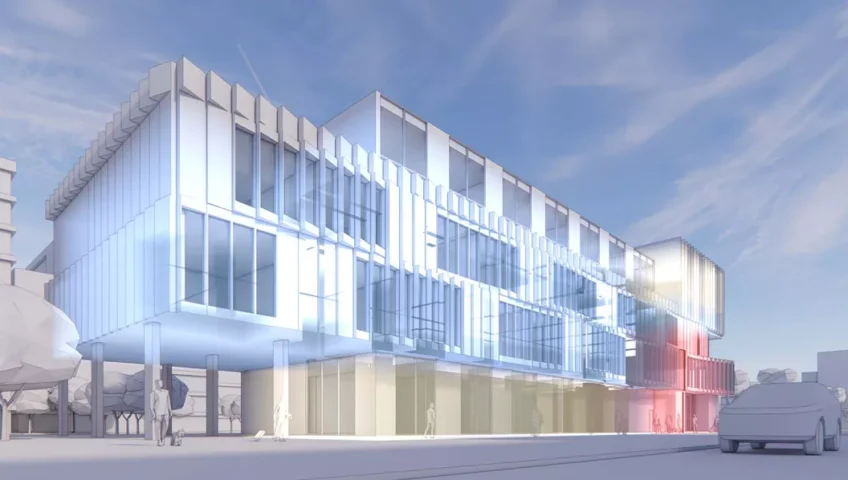
Introducing Enscape Impact: Fast Building Performance Insights as You Design

Buildings are more than the sum of their parts; their creation, operation, and eventual dismantling are pivotal moments where choices are made that can either further intensify our carbon footprint or lead us toward a more sustainable future. With buildings accounting for a staggering 39% of global energy-related carbon emissions, decarbonizing the building sector has become an absolute necessity to help negate the devastating impacts of climate change. To aid with this, new tools like Enscape Impact are helping architects make informed, sustainable-based decisions by integrating building performance analysis into the design workflow. Building performance analysis with Enscape Impact https://youtu.be/geEOD0hFhFM With access to simple-to-use building performance and analytics technology, you can make better design decisions that lead to more sustainable and energy-efficient environments. Enscape Impact provides fast energy modeling simulation for the early stages of design. You can now evaluate your creations' sustainability much earlier in the design process and instantly calculate and compare key performance metrics, such as peak cooling and heating loads, as you design. It’s also possible to see the data manifested within the render, making it easier to comprehend and communicate the impact of design decisions. Developed in partnership with global climate tech company IES, the tool integrates IES energy modeling capabilities with the Enscape functionality you already know and love. It's enhanced with energy efficiency information, simulated energy use, and carbon emissions indicators to guide your early design decisions. Adding a layer of analysis to your design workflow Immediate, intuitive, and integrated Enscape Impact offers architects a fast and intuitive way to assess a design's environmental impact. You can now make data-based evaluations of your buildings' efficiency with minimal interruptions to your design flow. What used to be a separate phase, often detached from real-time design iterations, is seamlessly woven into the architectural process. Accessible data-driven design decisions Even those unfamiliar with energy modeling and performance analysis can engage meaningfully with sustainable building design. Educational tooltips within Impact will guide you through the analytical process, making the learning curve as gentle as it is informative. Enscape Impact can also become the educational companion for practical learning of building performance practices and add sustainability to projects created in the academic environment. The add-on is included with our educational license at no additional cost. Effortless and reliable Effortless does not mean inaccurate; on the contrary, the insights provided by Enscape Impact are powered by the APACHE engine, developed by global climate tech company IES. Over the last 30 years, they have built a solid reputation as the leading global innovator in integrated performance-based building analysis. Widely regarded as the best whole-building energy simulation engine in the world, the powerful APACHE engine performs dynamic thermal simulations to provide detailed insights into a building’s performance. The simulation results within Enscape Impact are currently showing a variance of 12% compared to IES’s own Virtual Environment (VE) software, which is widely used in the industry for building performance simulation. While we’re pleased with this level of accuracy, we're now working to reduce the variance further, aiming to bring it down to single figures. Easy to interpret The Enscape Impact interface is designed to provide you with clear, visual representations of the energy use within your designs, from peak loads and total carbon emission to more complex data sets. This intuitive representation is an invaluable asset that you can use to indicate the sustainability status of your designs to clients and stakeholders. A workflow companion for sustainability Tightly integrated with all supported Enscape host applications (Revit, SketchUp, Vectorworks, Archicad, and Rhino), Enscape Impact is designed as a workflow companion to the Enscape core product for Windows. Rapid analysis supports quick exploration and evaluation and nurtures the iterative process at the heart of great architectural work. More efficient and effective collaboration Enscape Impact is not only for architects and designers but also serves the AEC community at large. BIM managers and engineers benefit from more efficient and effective collaboration. They can engage with architects earlier in the design process, shaping solutions that are not only aesthetically pleasing but fully aligned with the project's sustainability goals. An accessible and affordable solution For those considering integrating Enscape Impact into their workflow, Enscape offers a cost-effective solution with robust modeling accuracy and affordable licensing models. The tool’s minimal hardware requirements make it accessible, avoiding the need for high-spec equipment. The importance of prioritizing performance In an increasingly eco-conscious market, green architecture isn’t just ethical—it’s also a competitive advantage. The building performance component allows architects to set a new standard in the industry, creating spaces that don’t just stand out for their aesthetics but are also appreciated for their minimal environmental impact and reaching sustainability standards. The decisions made in the early stages of a project have long-lasting consequences. Use Enscape Impact to your advantage: prioritize building performance, design smarter, and build better.   Try Enscape Impact Enscape Impact is more than just the latest addition to our suite of architectural visualization tools. It’s an innovative approach to visualizing building performance that eliminates the disconnect between energy modeling and design creativity, putting the power of sustainable design in the hands of architects. Join the global call to transform the AEC landscape and help reduce carbon emissions in the built environment. Take advantage of the opportunity to try Enscape Impact and learn how to incorporate energy analysis into your design workflow and build a more sustainable future. Please note that Enscape Impact is an add-on to the Enscape real-time visualization and design workflow tool. To try it, you will need an active Enscape license. If you are interested in the product, request a price: info@bimsolutions.ge

Read more

What’s new in Twinmotion 2024.1

https://youtu.be/D72RB1DArDY Key features from this release Animation sequencing tools Create intricate videos that synchronize with animated files using the new Sequence media type and Action Cam camera. You can precisely add camera position keyframes over time; pause, speed up, or slow down movements; and more. You can also view the path of the animated camera in the Media Preview Window. Render layers Separate out elements of your scene for downstream compositing or post-production enhancement with the new ability to assign Layer IDs to assets, and export them as up to five separate render layers. Layers can be exported with included transparency (PNG or EXR), or as simple black and white masks. New and improved master materials Smart foliage from imported assets Want more variety in your landscape as it changes over the year? Now you can render imported vegetation with Twinmotion smart effects—including wind, seasonal color change, leaf loss, and snow accumulation—vastly increasing the types of trees and shrubs you can add to your scenes. You can even control the timing of color change and leaf loss. Standard and thin fabrics Standard and thin fabrics require different approaches when it comes to rendering. Our new Fabric master material offers you the ability to do just that, so you can simulate a wide range of textiles—including cotton, linen, silk, wool, polyester, and velvet—at higher fidelity. We’ve added ten new fabrics to the Twinmotion library to get you started. Spacing and Area tools Looking for more ways to quickly populate your scene with assets? We’ve added two new Scattering tools that enable you to create paths and define areas. Once your paths or areas are defined, they are automatically populated with your selected assets; you can adjust factors that determine the spacing of assets and the randomness of their positions. Filmback options Filmmakers can now constrain the camera view to match the sensor or film frame dimensions of common real-world cameras, as well as using custom values for the height and width—great for ensuring the framing you use in previs matches what’s achievable in the actual shoot, for example.  Rendering enhancements Lumen and the Path Tracer This release sees a variety of performance improvements for both Lumen and the Path Tracer. Lumen also now supports more lights and delivers higher-fidelity results with translucent meshes, while shader compilation is optimized for the Path Tracer. Enhanced bloom controls We’ve added new controls that enable you to adjust bloom intensity and create starburst effects, with a choice of 12 different pattern textures. This makes it possible to emulate the effects seen through real-world cameras when looking at bright lights. Ambient occlusion texture input You can now add a texture for ambient occlusion (AO) on the standard material, and AO textures are now imported by default on Quixel, Sketchfab, and glTF assets. This provides added contrast by reinforcing shadowed parts of the models when rendering in Standard or Lumen modes. And more! This update includes a host of additional improvements and new features that will make your workflow more flexible and efficient. Try out new tools, experiment with improved visual effects, and discover new ways to enhance your projects!  

Read more

DDScad Version 20 – Your best design option!

For 40 years now, DDScad has been the tool for planning future-proof building systems for future-ready buildings. Of course, DDScad version 20 continues on this path: The new version offers exciting new features. DDScad 20 makes it easy for you to achieve optimum design results and do what you do best: design the future! Overview of the main innovations Discover DDScad 20! Benefit from improved workflows for data exchange between Archicad and DDScad. The new version also offers the new project mode “OPEN BIM optimized” as a future-oriented basic technology option as well as other exciting innovations. New “OPEN BIM” project mode Gain freedom and convenience in projects organized as a BIM process! While the ‘OPEN BIM’ mode was still at an experimental stage in version 19, it now forms the basic technology for future DDScad developments. The planning mode is now available as a fully-fledged alternative to the classic DDScad planning mode for all trades. Observer mode With DDScad 20 you can open, view, present and evaluate DDScad projects even without an active license. This is made possible by the new observer mode, which you can set when starting the software on systems without a dongle. Workflow improvements Use BIMcloud for perfect work processes with other project participants and BIMcloud-connected solutions such as Archicad: DDScad 20 checks the status of the reference model at all times and displays it. If a new version is available on the server, you can easily update the model by importing it. The comparison between the previous and new status of the model is simplified by a new building comparison view that clearly highlights the changes. Busbar systems DDScad 20 has a new function package for busbar systems. Model these systems just as easily as cable trays. System components such as feeder boxes, feeds or fire protection blocks can be attached to the planned busbar segments just as easily. Feature package for multi-storey pipes and ducts A comprehensive feature package in DDScad 20 makes it much easier to work with risers, downpipes and ventilation ducts that span multiple floors. Designing the systems has been simplified as piping and ventilation ducts can now be routed directly through several floors across floor boundaries using the height change dialog. In addition, the new “Connect via floors” feature allows pipe or ventilation ducts from the floor below to be routed through several floors individually or simultaneously in multi-selection after selecting floor transitions. If risers or downpipes are moved sideways on a floor, DDScad 20 recognizes that existing connections to adjacent floors are interrupted. A pop-up dialog opens and the situation can be corrected quickly and easily using additional help features. In the course of a project, it can happen that pipe and ventilation lines at floor transitions are laid out exactly on top of each other and appear to be continuous, but have nevertheless been separated by a design step. Recognizing and correcting this is simplified with DDScad 20. The plausibility check recognizes these cases and they can be corrected in a time-saving manner using a corresponding feature. This also applies to “demolished floor transitions” due to floor height changes. Edit functions for pipes and ducts Two helpful edit features in DDScad increase the efficiency of your project design. A newly designed pipette feature allows you to easily transfer the selected material and the insulation of a pipe or duct to other situations in the project. Reversing the drawing direction of pipes and ventilation ducts is now also possible with a simple mouse click using a newly developed feature New features for connecting pipes and components Various new automatic features and optimized connection functions make it much easier to connect objects and pipes. You benefit from new options in wastewater planning, such as roof drainage, as well as extensions for automatic component connections such as concealed cisterns or toilets.   Article from: www.graphisoft.com

Read more

Challenges in existing workflows in construction industry

Existing workflows, when we are talking about the construction industry, are facing several challenges. Today there is noticed effort from different project stakeholders to enhance these workflows and their processes. The acceptance of these improvements varies depending on the country or region. Nonetheless, it is widely acknowledged that embracing digital transformation, leveraging technology, optimizing processes, and fostering cultural change in this field are essential components of a modern approach within the construction sector. The integration of digital tools and emerging technologies within the construction sector may encounter resistance from various project stakeholders. Overcoming barriers such as the perceived complexity and additional costs associated with adoption requires investments in training, change management, and a general willingness to embrace innovation. Inconsistencies and inefficiencies arise due to the lack of standardization in processes and data formats. Addressing this challenge involves adopting common industry standards and implementing interoperable technologies. BEXEL offers digital transformation services and helps in adopting modern BIM tools in achieving successful overall construction project execution through all project stages. Data management represents another significant hurdle in construction projects, especially including all project phases. A huge amount of data is typically generated, often stored in isolated silos within different departments, impeding effective access, sharing, and collaboration among project stakeholders. Moreover, manual processes persist, leading to inefficiencies, delays, and human errors. Automating these processes, and digitalization of data of course, are the imperative to enhance accuracy and streamline operations. BEXEL Manager is a BIM management platform which relay on automation of the processes, where BIM model in a center of them, representing huge database of information one project include. The absence of a centralized communication platform further exacerbates the issue, resulting in fragmented communication among project stakeholders. Establishing a unified communication platform can significantly improve coordination and collaboration, thereby enhancing project outcomes. A common data environment is also the solution.   Different data types that are mostly present within all project stages are also a challenge in existing workflows. The imperative is to ensure seamless compatibility and integration of various data types across disparate systems, tools, and platforms. Typically, data originates from various sources and legacy systems, each adhering to its unique structure and format. Data security and governance emerge as critical in data management, necessitating the establishment of clear data ownership, access controls, and privacy protocols to ensure sensitive information safe and ensure compliance with regulations. Common data quality issues, such as inconsistencies, incompleteness, and inaccuracies, further compound the challenge. Addressing these issues entails defining data validation processes, often resource-intensive and time-consuming, where automation of these processes based on precisely defined protocols is a potential solution. Effectively transforming raw data and interpreting complex datasets represent additional hurdles, which can be overcome through the adoption of advanced visualization tools and techniques, such as BIM based tools are, including BEXEL Manager with its integrated functionalities. These tools facilitate data-driven decision-making and streamline data interpretation processes. Real-time management and processing of “big data” pose further challenges to existing workflows and used technical infrastructure. One potential solution involves embracing data storage and processing solutions, such as cloud-based platforms are, to effectively manage this influx of data. BIM cloud-based solutions could also help in visualizing these data. BEXEL Cloud based solutions offers comprehensive capabilities in visualizing data available on the cloud. Managing the entire data lifecycle, encompassing creation, storage, processing, analysis, and archival, demands meticulous planning and execution. Leveraging modern data technologies and agile, scalable platforms becomes imperative to address the limitations of legacy systems and adapt to evolving data management needs.     Finally, the adoption of a Common Information Model (CMI) plays an important role in digital transformation of the construction sector improving collaboration, enhancing the efficiency and sustainability of construction projects. It serves as structured framework for the representation and exchange of information across the entire lifecycle of a project. This framework establishes a digital representation of both the physical and functional attributes of buildings facilitating interoperability and collaboration among various stakeholders involved in the project. BEXEL CDE (Comon Data Environment) satisfies definition of this framework which certainly follows further steps: Establish a standardized approach for organizing and sharing project-related information across the entire project scope. Embrace and adhere to open standards and industry best practices for optimal effectiveness. Integrate the project framework with Building Information Modeling (BIM) to enable the connection of BIM models with other construction-centric data and systems. Ensure interoperability among different systems and tools used by project stakeholders. Enable the exchange of various types of project information, including geometric data, non-geometric, and semantic data. Support the entire lifecycle of construction projects, enabling stakeholders to access and update information throughout each project phase. This ensures data continuity and consistency across all project stages.   Source of Article: www.bexelmanager.com

Read more

Solve any precast concrete member

Precast concrete structures are very popular mainly due to their simplicity and speed of construction. These advantages also apply to their design process. But is it really so? Well, indeed, it is! With the proper set of powerful yet easy-to-use tools allowing you to flow smoothly and efficiently through the designing process, covering the whole structure from the roof to the foundations, of course. I'm convinced that after reading this article, you will say goodbye to tedious hand calculations, neverending Excel spreadsheets with thousands of rows just waiting for you to mistype a formula unintentionally, estimations to save precious time, and last but not least, using simplified applications not covering everything that's required. You will learn how to check composite hollow-core slabs, precast beams with openings, corbels, columns, and foundations. All of this is done with the automatic consideration of rheological effects such as creep and shrinkage by applying Time Dependent Analysis (TDA) with the software and covering all discontinuity regions using the world-class Compatible Stress Fields Method (CSFM). Solve structures from roof to foundations in no time! I still remember struggling to finish the design of a precast structure for my Master's thesis. It was a single-story gymnasium with an overall width of 26.6 meters and a length of 44.3 meters. The total height was 8.0 meters. The bearing system was considered a system of transversal frames consisting of a prestressed roof girder with openings supported by columns with reinforced concrete corbels, and a set of bracings in the longitudinal direction. I used hollow-core slabs with a cast-in-situ layer at the top as roof elements. That doesn't sound so complicated, right? So what was the struggle? It was a very tedious process because all I had back then was the global analytical software and books. I'd started to prepare Excel spreadsheets so that all the calculations would be as efficient as possible. Nevertheless, the number of rows in the file still haunts me a little to this day. Today, thanks to the fact that I'm skilled in using all IDEA StatiCa Concrete applications, I would probably finish the whole structural part of the thesis in a day or two instead of months. What are the challenges of the design of composite hollow-core slabs? Engineers should be especially aware of the behaviour of different materials used for individual layers, shear in joints, the importance of construction stages, etc. Since the Beam application has TDA implemented, all you need to do is define the materials, geometry, boundary conditions, loads (or import the internal forces from third-party software), and construction stages and run the comprehensive analysis covering all ultimate limit state (ULS) and serviceable limit state (SLS) checks. Long-span roof girders For such members, the reinforced concrete is not an option anymore. So, prestressed concrete it is. And we all know what that means. Optimizing the member's cross-section geometry, the number of tendons, evaluating initial stress, losses, etc. Plenty of things to take care of. Then, to save the material and make the structure lighter, you must add openings. Therefore, build the equivalent truss model and use the Strut and Tie method (SaT) to properly check such discontinuity regions. Which adds even more hours to the already time-consuming process. Or, you can use IDEA StatiCa Detail with its CSFM method, optimize the structure, and on top of that, significantly save time. The correct design of a column is essential for the whole structure. And that goes double for slender columns. Such members must be considered stability-sensitive. Therefore, taking the second order effects into account is a must. Corbel – a little helper Probably the easiest part of the project. Corbels are usually stressed by compressive force as an action from a member placed on them. However, it's necessary to consider a recommended portion of a horizontal load. The equivalent truss model is not that complicated in this case, and the results are obtained quite quickly. But (there is always a but), what if I tell you that satisfying ULS results doesn't mean the structure won't be cracked or deform excessively? Let's explain it with a practical example. We have a corbel with given geometry, properties, and reinforcement stressed by normal and shear force as in the image below. When checking this example manually, you use the Strut and Tie method, evaluate the compressive stress in concrete, and compare it with the design capacity value. Then you calculate the tensile stress and design a reinforcement accordingly. The job is done and you can move to another part of the project. However, just to be sure, let's double-check the design, this time using software. I've modeled the same corbel in IDEA StatiCa Detail. Let's check the results. As per the manual calculation using the SaT method, the ULS checks are okay. And I've confirmed that using the Detail application. Nevertheless, this time, we used a more advanced approach and can also see the second part of the overall check. And it's quite surprising. The SLS checks of the same structure with the same properties are not satisfactory. And that's something you can't assess using the SaT method. Neglecting SLS checks might directly impact the structure's service life. My recommendation is to always check the structure for both ultimate as well as serviceable limit states. Usually, column and corbel are checked separately. But thanks to CSFM, you can include both in one model. Take a look at the column with corbel model. Holding it all The last step is to check the foundations. Areas near supports are discontinuity regions too. So you can once again start the Detail application and do the structural engineering magic. Checking different types of column-foundation connections is not a problem. Including complex connections such as niched columns! As the cherry on top, you can set the stiffness of supports manually based on your calculations to simulate the elastic subsoil behavior! To learn more about this, see the Types of supports in IDEA StatiCa Detail article. And that's it. You now have the cookbook and know the workflows. So, don't wait any longer and start modeling on your own! To avoid any unwanted mistakes, read the Frequently overlooked design considerations in reinforced concrete structures article. The purpose of this article is not to trash talk the manual calculations using simplified tools and approaches or the Excel spreadsheet you're used to using to check precast concrete structures. It also isn't about telling you that you must immediately switch to using IDEA StatiCa products only. If it works for you, great! We wanted to show you that there is another way that sometimes might be faster and more accurate. Or that using the previously mentioned approaches sometimes might not be enough and may lead to potentially unsafe design affecting, e.g., a structure's service life. The last recommendation We're going to give in this text is to always use your engineering judgment and not be afraid to learn new things. Begin from today! Request the price: IDEA StatiCa

Read more

Enhancing Design Coordination in AEC Projects with BIM Collaborate Pro

In the world of Architecture, Engineering, and Construction (AEC), the importance of seamless coordination across various design functions and disciplines cannot be overstated. Properly aligned workflows can transform project outcomes, significantly improving efficiency and minimizing the need for multiple design iterations. With advanced tools like BIM Collaborate Pro, an Autodesk Construction Cloud (ACC) product, design coordination has entered a new era, enabling projects to be managed with greater precision, security, and traceability. The following video explores how BIM Collaborate Pro facilitates this coordination process, ensuring that every discipline can collaborate seamlessly while enhancing project quality. Watch it now to see how advanced design coordination can transform AEC project workflows. The Impact of Defined Review Processes A well-structured review process through design coordination is key to achieving large efficiency gains. Establishing this process at both the company and project levels is critical for effective collaboration, ensuring that every discipline adheres to project standards and procedures from the beginning. This approach enables various teams, each contributing their specialized expertise, to work cohesively within a shared framework. As a result, it reduces rework and streamlines the journey toward the final design. Project-Level Coordination: Efficient Sharing and Collaboration Large-scale construction projects often involve multiple companies, each contributing specialized data for their respective design disciplines. Effective project-level coordination facilitates this collaboration by enabling secure data sharing among these companies. This involves creating a robust environment where each discipline can exchange information with stakeholders while also managing their internal data-sharing needs. Using BIM Collaborate Pro, companies can create a shared coordination space specifically for this purpose. The shared coordination space acts as a controlled environment where design data can be securely shared and managed, enhancing both security and traceability. Additionally, the platform’s clash detection features enable teams to identify and resolve potential issues early on, ensuring a smoother path to project completion. Setting up coordination space folders in Autodesk Construction Cloud Company-Level Coordination: Leveraging Internal Collaboration Within each company, design disciplines need a collaborative framework to refine their designs and optimize quality before sharing with other project stakeholders. BIM Collaborate Pro allows companies to set up dedicated coordination spaces, where teams can run internal clash checks and coordinate data among internal disciplines, such as architectural, structural, and MEP. By using live connections for data sharing, these internal teams can ensure that each design aspect aligns well before it is integrated at the project level. Managing coordination spaces in Autodesk Construction Cloud The Role of Project Templates and Permissions Setting up a project within ACC often starts with the use of project templates. These templates store critical project parameters, standards, and member permissions, allowing for consistent setup across projects. By defining permissions at a folder level, project administrators can control access based on team roles, ensuring that collaborators only interact with the data they need. This security-first approach is crucial for maintaining control over sensitive project information. Creating a project template in Autodesk Construction Cloud Flexibility and Adaptability in Coordination Spaces Every construction project evolves, and the BIM Collaborate Pro coordination spaces are designed to adapt to these changes. For example, new coordination spaces can be added, and existing ones can be adjusted by modifying content folders, enabling clash detection, or even renaming the spaces as project needs shift. This flexibility ensures that the coordination setup remains relevant and useful throughout the project lifecycle. Enhancing Interdisciplinary Collaboration with Defined Workflows Design collaboration workflows within the Autodesk Construction Cloud streamline data sharing across companies. Here’s how it works. Once a design team—say the structural team—creates a data package, it is shared along a project timeline. The MEP team, working within the same environment, can then explore this structural data. If they find it necessary for their designs, they “consume” the data, bringing it into their own data structures to inform their design decisions. This shared workflow not only enhances coordination, but also maintains a record of interactions, ensuring traceable and reliable data exchanges. Issue Tracking and Resolution with BIM Collaborate Pro Effective issue management is vital in collaborative projects. When clashes or concerns arise, they can be tracked and resolved within Autodesk Construction Cloud. For example, if a clash is detected between structural and MEP data, an issue is raised and assigned to the relevant team, with responsible members and response timelines prepopulated via templates. This structured approach enables team members to address issues promptly, redesign as needed, and re-share updated models, keeping all stakeholders informed throughout the resolution process. Driving Efficiency with Advanced Coordination Tools BIM Collaborate Pro, paired with the AEC Collection, empowers design and construction teams to elevate operational efficiency through advanced workflows. By enabling coordinated, flexible, and secure project environments, these tools help teams work more effectively, reduce rework, and ultimately deliver better project outcomes. Incorporating design coordination with BIM Collaborate Pro into your projects can streamline your team’s workflows, minimize costly errors, and enable more efficient project delivery. With coordination at both company and project levels, teams are set up for success from day one.   www.bimsolutions.ge

Read more

What is connected construction? And why does it matter?

Construction projects develop in many ways. Some go smoothly and collaboratively, while others may be more turbulent and challenging. By closing the gaps between people, processes and technology, connected construction helps everyone identify and resolve problems faster. It’s about having up-to-minute information to make better decisions right from the start of a project for better outcomes at the end.  The construction industry has always faced challenges that impact project quality, schedules and budgets. Historically, the industry has been characterized by disjointed processes and siloed teams, where data is often disconnected, dispersed, and sometimes even lost. Miscommunication, lack of coordination, and outdated technology are just some of the factors contributing to the industry's challenges. Connected construction aims to break down these silos to improve communication and transparency. This creates a safer work environment, more accurate budgets, and timelines everyone can count on. What is connected construction? Connected construction refers to using technology and data to connect people, processes and tools in the construction industry. It involves the integration of various technologies, such as the Internet of Things (IoT), cloud computing, mobile devices and Building Information Modelling (BIM). Together, these technologies enable real-time communication, collaboration, and data sharing between all the stakeholders involved in a construction project. Connected construction also refers to an interconnected network of construction technologies used for various practices. Design, calculation, estimation software, data management, constructible content, technological hardware, vehicles, devices, people and locations can all be linked via wireless or digital technology. This connectivity can be within a single firm or as part of a collaboration between multiple organizations within a given project. The essence of connected construction is that it integrates and manages data across the project lifecycle – ensuring all information flows seamlessly from one system to another. “A connected construction experience is one in which construction firms have access to a common data environment with a standardized set of connected workflows across all stakeholders, departments, and disciplines of the construction process.”   GlobalData Plc. Drake, C., Williams, D., and Armengol, S. 2022. Connected Construction: A new technology mindset for a new era (p.07). Connected construction is all about data and communication Connected construction is not just about connecting one machine to another. It’s a much more fundamental transformation than a standalone point-to-point solution for a single workflow. Connected construction is about creating meaningful workflows for data that facilitate collaboration between a wide range of different stakeholders, bringing benefits across the whole project. Data is critical in providing the foundation for the insights and decision-making capabilities that drive improved efficiency, productivity and safety. It’s about making the right data accessible to the right people at the right time to improve processes in the areas that matter most: productivity, quality, safety, transparency, sustainability, etc. “By enhancing project visibility and predictability, providing real-time access to business data, and enabling collaboration and integrated decision-making, the connected construction experience can help owners, designers, engineers, and contractors realize more consistent, streamlined, and predictable project execution.”   GlobalData Plc. Drake, C. , Williams, D., and Armengol, S. 2022. Connected Construction: A new technology mindset for a new era (p.07). Why does connected construction matter? Connected construction matters because it has the potential to transform businesses in the construction industry by significantly improving project efficiency, productivity, safety and quality. It provides real-time access to project data and analytics, enabling construction professionals to make informed decisions, optimize workflows, and minimize delays and errors. Connected construction also allows for better communication and collaboration between project teams, which can in turn lead to improved project outcomes and customer satisfaction. Moreover, connected construction can help construction companies reduce costs and increase profitability by improving project timelines and reducing the risk of rework or errors. By leveraging data analytics, companies can gain insights into project performance, identify areas for improvement, and implement strategies to optimize project outcomes and stay competitive.

Read more

Tekla Tedds – An Overlooked Essential for Structural and Civil Engineers

An essential tool for structural and civil engineers that is frequently overlooked - perhaps because of its ability to handle engineering calculations and produce professional results simply and without fuss. Tekla Tedds is one of those Cinderella applications that sit in the background, supporting the exciting design-oriented software but lacking the glamour that comes with its more creative sisters. It fulfills the needs of the design engineer, though, by providing a powerful set of functions to automate and solve the many complex mathematical problems of the design. Tedds - Tekla drawing and documentation system Tedds was developed to provide structural and civil engineers with an easy-to-use calculation tool that spanned the entire gamut of engineering without having to dive into Excel. Everybody is familiar with spreadsheets, but as the aim of most of the calculations is to support some form of text-based documentation or report, it was felt that it would be a lot easier to provide tools within the most commonly used word processing application - Microsoft's Word. Tedds has been around for some years, now, allowing a substantial library of calculations in different categories to be accumulated, fulfilling the need for an out-of-the-box solution for most users. More advanced users can, though, develop their own calculations using TEDDS capabilities. An overstatement, perhaps, as the software is easy enough for any engineer to use, giving them access to many calculations they are already familiar with, but which take time and money to set up, and if the calculation uses a lot of iterations, to run them automatically. The range of calculations currently available include, for example, loading calculations for seismic and wind, continuous beam and rolling load analysis, the design of beams and columns in steel, concrete and timber, and a wide range of connections, including base plates and simple connections. A Tedds outline How does Tedds work? If you can take an absolutely basic calculation - 1+1=? - all you need to enter is the calculation using the familiar Boolean format or to set up straightforward linear equations (most structural calculations are, in fact, linear equations) in an Excel like grid - and then run the calculation. The user interface recognizes all of the units within each of the fields, including those written in Greek, or that use sub and superscripts - and, like Excel, updating the values within result boxes, either as the final result or to use for further calculation. Each calculation is handled as a single solution for all elements and materials, using a simple intuitive interface that lays out the calculations in an easily read, and easy-to-check way. Its simplicity also makes it easy to check and compare design options, or to make changes to the calculation. Using Tedds for Word, a specifically integrated version of TEDDS within the MS application, enables engineers to produce consistent documents and reports conforming to industry standards or a company's own requirements - you can, for instance, headline each document with your own logo. Calculation standards conform to British Standards, Eurocode and US, Canadian and Australian codes. Another advantage of its use within Word is that you don't have to be a technical writer if you want to create your own calculations. You can write, store and distribute your own, or place them in a library for others to use. Tedds for Word, besides allowing multiple calculations to be incorporated within a single document, also allows input from other applications. It can also be used to link files, and to copy the results from one into another calculation, and even, if necessary, integrate external spreadsheets with Tedds using the application Excel Link tool. Combining analysis and calculations Taking a common task for Tedds, such as frame analysis, users can use the software to analyze the stresses on trusses, cranked beams, and portal frames, visualizing the input and results graphically and in real-time, and then to link the results to Tedds calculations, or to embed the frame analysis results within a bespoke calculation. Engineers can then use this as the basis for compiling a single projects results in a document, including notes, sketches, and, if necessary, photographs. The document can include greater levels of detail as and where needed. It also avoids the need for using separate analysis software for the project. The final document can then be exported as a standard PDF file. Tedds in detail Tedds provides a number of basic functions that allow users to interrogate or manipulate data within each of its fields. Each of these fields is a basic box which handles data in a number of formats - UDL, Mapping, Inputs and Calculations. Using each of these, the engineer can create a dialogue on each page laying it out to create a whole form. The fields are designed to show and describe what is in each of them, to provide data lists to be used as variables, or data tables and graphs as additional data sources, such as the Excel Link highlighted above, and, finally, the calculation. There is also another function available - the Log field. This enables the user to interrogate the calculation and to provide details of its progress or to maintain a progress log. The progress log, which could be used to show a considerable level of detail, can be filtered, or rolled up, to provide just headline data, or to be able to display progress on a single screen. Tedds project manager To enable engineers to keep track of the many calculations they are likely to use on a single project, Tedds includes a Project Manager, appearing in a separate Project Manager Window, that allows them to create and name a project, add files and calculations, or to insert new calculations in a current project. All of the calculations are presented in browser format, and their order can be manipulated by dragging them up or down or new calculations can be dragged in from a current calculation.

Read more

Autodesk Build – Connect field and project management workflows.

Autodesk Build provides the tools needed to streamline workflows between the office, trailer, and jobsite. Managing, sharing, and accessing project documents has never been easier. Autodesk Build helps you manage costs more effectively. Streamline your process and make cost management easier than ever before with Autodesk Build. With Autodesk Build, you can monitor quality and safety by using issues and forms. Organize the flow of information with RFIs, submittals and meetings. Track progress as the project evolves to ensure a successful outcome. Autodesk Build makes it easier than ever to take control of your projects and achieve success. Autodesk Build enables construction teams to track project performance in real-time, ensuring that projects are delivered on time and on budget. It also helps to improve collaboration and productivity by providing a single source of truth for all project information. It provides powerful project creation, schedule management and tracking capabilities so that construction teams can effectively monitor progress, collaborate, and make decisions quickly. Autodesk Build is a cloud-based platform accessible from any device, allowing teams to collaborate and stay connected no matter where they are. Autodesk Build is the perfect solution for teams looking to increase collaboration, improve project performance and reduce operational costs. Improve construction management and empower all builders with connected teams, workflows, and data. Project Management Ensure projects stay on track; improve collaboration and reduce miscommunication, error, and rework. Quality Management Track all issues in one place and resolve them earlier. Reduce costly rework and keep projects on schedule. Safety Management Develop easy-to-adopt, repeatable safety programs and get all team members to take ownership of site safety. Cost Control Connect project management and field execution data to cost activities to understand root causes and scope cost impacts Deliver projects on time and on budget with the help of our easy-to-use and highly configurable tools. Project Management Software For Construction | Autodesk Build Manage Project Schedules Instantly share, collaborate, and connect project schedules with field and office teams. Connect RFIs Create RFIs and manage the review process, and connect RFIs to issues, change orders and meeting minutes. implify Submittals Create and track submittal items and manage all information in a single submittal log. Improve Meetings Track commitments made, link essential, and keep an organized history of all meeting records. Explore the advantages teams receive by implementing cloud-based construction project management software. Increased Efficiency Autodesk Build centralizes project information, which enhances transparency and collaboration within the team. All data is in one place, improving project management efficiency. Time Savings The project initiation process is faster because Autodesk Build helps standardize operations and streamline workflows, significantly reducing time loss. Connecting Workflows Autodesk Build allows easy linking of various project-related data (RFIs, issues, photos, drawings, etc.), simplifying the organization of workflows. Improved Progress Tracking Autodesk Build’s visual tools allow you to easily track the current status of a project and stay on track for timely completion. It provides clear visualizations of project progress. User-Friendly Autodesk Build simplifies project management and operations with an intuitive and easy-to-use interface. It is also cloud-based, ensuring accessibility from any device, allowing teams to collaborate from anywhere. Safety and Quality Management Autodesk Build helps with effective quality and safety management by tracking issues and ensuring adherence to safety standards, promoting team member accountability. Better Team Collaboration Autodesk Build brings all project data together on a single platform, improving communication among team members and enabling quicker decision-making. Mobility and Accessibility Being a cloud-based platform, Autodesk Build allows teams to easily access project data anytime and from anywhere, on any device. Cost Control Autodesk Build provides a structured approach to cost management, helping project teams manage budgets and find ways to optimize spending. Integration with Other Tools Autodesk Build seamlessly integrates with other popular software, simplifying process standardization and streamlining workflows. Autodesk Build - Seamlessly collaborate and deliver projects on time, on budget with construction project and field management software.

Read more

Autodesk Docs: A New Standard for Digital Collaboration

Modern architecture, engineering, and construction (AEC) demand robust and flexible digital tools that empower teams to improve collaboration and streamline project management processes. Autodesk Docs is precisely such a tool—a platform that helps teams manage documentation centrally and enhance workflow efficiency. What is Autodesk Docs? Autodesk Docs is a cloud-based platform designed for professionals in the AEC field. It is tailored for the secure and organized management of project documentation, design files, and data. Its primary goal is to centralize information and facilitate seamless communication among team members. With Autodesk Docs, you can: Improve accuracy by reducing errors and rework. Facilitate, control and automate document approval reviews. Align team members and make project scheduling easier. https://videos.autodesk.com/zencoder/content/dam/autodesk/www/products/autodesk-docs/fy24/overview/videos/autodesk-docs-overview-video-1920x1080-v2.mp4 Key Features: Centralized Document Storage: Autodesk Docs offers users a unified platform where all project documentation is stored. This reduces the risk of data loss and ensures quick access to necessary files. Collaboration Capabilities: Team members can simultaneously work on the same document, comment on changes, and track file versions. This improves communication and saves time. Version Control: Each file's version history is preserved, allowing users to easily revert to earlier versions or compare changes when needed. Integration with Other Autodesk Products: Autodesk Docs integrates seamlessly with popular tools such as AutoCAD, Revit, and BIM 360. This ensures smooth data sharing and simplifies workflows. Security and Permissions: The platform enables administrators to set permissions at various levels, ensuring data confidentiality and security. Why Choose Autodesk Docs? Autodesk Docs is particularly useful for organizations managing large-scale projects requiring tight documentation control. Its use helps save time, improve project quality, and minimize potential errors. Autodesk Docs is an indispensable tool in the modern AEC industry. Through its use, companies can enhance collaboration, manage documentation effectively, and create a more organized and efficient working environment. If you're looking for a digital solution that simplifies and strengthens your workflows, Autodesk Docs is exactly what you need.

Read more

IDEA StatiCa – A New Standard in Structural Design

The modern engineering industry is constantly evolving, and engineers and architects face new challenges every day. Over the years, it has become evident that structural analysis and design are among the most critical aspects of safety and sustainability. In this context, IDEA StatiCa stands out as one of the most innovative software solutions, enabling engineers to tackle complex structural challenges effectively. What is IDEA StatiCa? IDEA StatiCa is a software platform used for the analysis of steel, reinforced concrete, and other material structures. It allows engineers to verify and analyze complex connections, welded details, and other structural components. Its unique algorithms and intuitive interface offer faster, more accurate, and innovative solutions to engineering problems. Key Features Steel Connection Analysis With IDEA StatiCa, it is possible to model and analyze complex connections that are challenging to address with traditional tools. The software utilizes the CBFEM method (Component-Based Finite Element Method), which ensures precise and reliable data on the behavior of connections. It is particularly useful for analyzing non-standard connections, such as asymmetric shapes or multi-component joints. Reinforced Concrete Design The platform performs detailed analysis of reinforced concrete elements, including walls, columns, arches, and strengthened zones. IDEA StatiCa’s capabilities include stress distribution, deformation, and crack evaluation, ensuring safer and more economical designs. It can also handle dynamic load analysis, which is critical for seismic zones. Welding Detail Analysis One of the main advantages of IDEA StatiCa is its detailed modeling and verification of welding details. The software evaluates the strength and performance of welded joints under complex loads. This feature is especially valuable in industries where welding quality is critical, such as petrochemicals or energy sectors. Compliance with Standards IDEA StatiCa fully complies with international codes such as Eurocode, AISC, ASCE, and more. Its flexibility enables engineers to work according to regional standards. Additionally, the platform includes built-in processors that streamline compliance checks for structures. Integration and API Support The software integrates seamlessly with platforms such as Tekla Structures, Revit, Robot Structural Analysis, and SAP2000. Furthermore, it provides an open API, allowing users to customize the software for specific workflows. Engineers can create automated processes and exchange data with other software, simplifying project management. Testing Mode and Reports IDEA StatiCa includes an integrated testing mode that enables engineers to simulate various scenarios in real time. The software automatically generates detailed reports containing all necessary data to meet safety and regulatory requirements. Why Choose IDEA StatiCa? Time-Saving: IDEA StatiCa allows quick verification of complex connections and details, significantly reducing the time required compared to traditional methods. High Accuracy: The CBFEM method delivers precise and reliable results, minimizing the risk of structural design errors. Versatility: The software supports mixed structures involving steel, reinforced concrete, and other materials. Innovative Technology: IDEA StatiCa is continuously updated and adapted to modern engineering challenges. Educational Resources: The software includes extensive manuals and tutorials, making it especially beneficial for new users. IDEA StatiCa is revolutionizing traditional approaches to structural design and analysis. Its innovative capabilities, such as the use of the CBFEM method, welding detail modeling, and compliance with standards, ensure faster, more accurate, and efficient engineering solutions. The software not only enhances modern engineering capabilities but also promotes sustainable development in the industry. IDEA StatiCa is an indispensable tool for professionals seeking to optimize time, resources, and accuracy in any engineering project.

Read more

National Football Stadium Case Study

The National Football Stadium in Serbia represents modern marvel of architecture and sustainability. This impressive stadium spans 32 hectares and can seat 52,000 spectators, meeting UEFA and FIFA standards for international events. The stadium’s unique facade features lush garden areas, blending nature with cutting-edge design. With 4,500 parking spaces and three levels of facilities, it’s perfect for all types of events, from football matches to concerts. The National Football Stadium is more than just a sports venue; it’s a versatile, eco-friendly hub for various activities.  https://youtu.be/T19ea9MFhaM To ensure the seamless integration of modern technology and BIM processes, BEXEL Manager software played a pivotal role in streamlining the complex workflows involved in the National Football Stadium’s development.  In just two weeks, a comprehensive adjustment, preparation, and analysis of the BIM model were completed using BEXEL Manager software. A cost database and multiple construction schedules, represented as Gantt charts and Lines of Balance (LOB), were generated. To facilitate easier analysis and management, the model was organized using various Custom Breakdown Structures. Numerous calculations were performed based on the types of work and available materials. All data were published on BEXEL CDE for better coordination with other project stakeholders and transferred to Power BI dashboards. As a result, numerous representative visualizations and video materials were obtained, necessary for an easier and better presentation of the project in further development.  Week 01: First week summary: Federated model with 107,556 elements created in BEXEL Manager Over 2,000 elements that were split into smaller segments 172,440 classification properties added with data enrichment tool 1,367 automatically generated cost items in BEXEL Manager Cost Editor Generated schedule with 2,952 tasks and 3,935 relations in BEXEL Manager 4 different construction schedule versions with different what-if scenarios Within just the first five days complete preparation and analysis of the model was done. This phase included all necessary model adjustment in authoring tool, coordination of elements, spatial analysis, LOD (Level of detail) and LOI (Level of information) check. The model was enriched with Uniformat 2010 Codes and Descriptions with built in Data Enrichment tools. A variety of QTO/CBS analyses were performed differentiating the model by levels, zones, sub-zones, teams, etc. The cost database was automatically generated from previously created QTO based on Uniformat 2010 Templates. By using intelligent scheduling engine projects zones and construction methodologies were defined resulting in creation of initial schedule. Week 02: Second week summary: 980,268 schedule related properties added using API scripts 15 different Custom breakdowns and Quantity Takeoffs created and published to BEXEL CDE 118,311 quantity calculations 6 versions of schedule published on BEXEL CDE 12 Power BI dashboards created and added to BEXEL CDE Over 30 video clips were created and used for the final showcase video During the second week, the construction schedule and Line of Balance (LOB) were optimized. This included editing project and task durations, activity leveling, parallel sequencing, and work execution direction to obtain the first construction simulation. Based on the updated schedule data, the model was further enriched with additional property values, and the first look-ahead analyses were performed. The model was published with all necessary data on BEXEL CDE. To improve coordination, the BEXEL CDE platform was enhanced with integrated Google Earth data, scene creation, and defined access rights and roles for the project. Numerous Power BI reports were published. All data from the previous two weeks were used to create visualizations and video materials for easier communication with other project participants. In just two weeks, the National Football Stadium project demonstrated the remarkable efficiency of BIM-driven workflows and effective collaboration through BEXEL Manager and BEXEL CDE, resulting in faster decision-making, reduced errors, and optimized resource management. This case study highlights how advanced digital solutions can streamline complex construction processes, improve coordination among stakeholders, and elevate overall project outcomes. Source: www.bexelmanager.com

Read more

RFEM 6 – Modern FEA Software for Engineering Design

In the field of structural analysis and design, FEA (Finite Element Analysis) programs play a crucial role. RFEM 6, as one of the leading programs in this domain, provides engineers and designers with the tools to perform more flexible, precise, and efficient work. What is RFEM 6? RFEM 6 is a multifunctional software solution designed for structural analysis and modeling. It is primarily used for physically nonlinear and dynamic analyses, enabling engineers to assess and design structures such as buildings, bridges, and industrial facilities. Key Features of RFEM 6 Intuitive Interface RFEM 6 stands out with its simple and modern interface, making it user-friendly for both beginners and experienced professionals. Flexible Modeling RFEM 6 offers unique modeling capabilities that include comprehensive 2D and 3D structural analysis. Users can analyze complex geometries, such as grid and shell systems. Support for a Wide Range of Materials The program supports the use of various materials, including steel, concrete, timber, and composites, allowing for the analysis of mixed structures. Integration with BIM Technology RFEM 6 works seamlessly with BIM (Building Information Modeling) systems, improving coordination and efficiency throughout the design process. Dynamic Analysis and Load Calculations The program is particularly strong in fields where dynamic loads are critical (e.g., seismic forces or wind effects). Who is RFEM 6 For? RFEM 6 is ideal for: Structural Engineers working on complex projects that require precise calculations. Designers looking for innovative and reliable ways to develop advanced structures. Educational Institutions teaching future engineers the practical application of FEA programs. Advantages of RFEM 6 Compared to Competitors Automated Calculations and Reporting: The program generates comprehensive analysis results, reducing the time spent on lengthy processes. Modular Structure: RFEM 6 includes various modules, enabling users to utilize only the features they need. Systematic Updates: The software is regularly updated to offer users modern and innovative functionalities. So, RFEM 6 is a state-of-the-art FEA program that equips engineers with the perfect tools for analyzing and designing complex structures. Its flexibility, precise calculations, and seamless integration with BIM systems make RFEM 6 one of the best choices in the engineering industry. If you’re looking for a program to elevate your projects to the next level, RFEM 6 is the tool to help you achieve your goals!  

Read more

How SketchUp is Transforming the World of Design

If you’ve ever imagined creating something entirely your own, from a custom piece of furniture to a conceptual building design, you’ve likely wished for a tool that brings ideas to life effortlessly. Enter SketchUp—the 3D design software that’s captured the hearts of architects, interior designers, landscape artists, woodworkers, and hobbyists alike. But what exactly makes SketchUp such a revolutionary design tool? In this post, we’re diving into the ways SketchUp is shaping modern design practices and empowering creative thinkers everywhere to transform their ideas into reality. Designing Without Limits One of the most exciting aspects of SketchUp is the freedom it offers. Unlike more complex software, SketchUp is known for its user-friendly interface that breaks down traditional barriers to 3D design. You don’t need to be a professional architect or engineer to create something amazing with SketchUp. That’s why so many creative fields have adopted SketchUp as a core part of their design toolkit. With SketchUp, the possibilities are virtually endless. Users can design: Detailed architectural models of homes, offices, and other buildings Complex interior layouts with everything from furniture to fixtures Custom furniture pieces, down to the last intricate detail Landscape designs, incorporating natural elements and hardscapes Anything else that sparks their imagination Realism Meets Creativity: How SketchUp Boosts Design Vision SketchUp is powerful because it doesn’t just allow you to build models; it helps you visualize them in a real-world context. With tools for adding textures, applying realistic materials, and manipulating light sources, designers can create models that look as though they’ve already been built. This ability to “see” a project before it’s constructed is a game-changer, helping users refine and develop their ideas long before breaking ground—or even purchasing materials. Imagine being able to show a client what their redesigned living room will look like with their own furniture layout or to present a custom building design with full exterior detailing. These immersive, realistic visualizations can lead to quicker approvals, easier modifications, and more satisfied clients. The Democratization of Design: Making Professional Tools Accessible In the past, 3D design software was often confined to professionals with advanced training, but SketchUp has changed that landscape. With its straightforward approach and a free web version, SketchUp makes 3D modeling accessible to virtually anyone with a computer and a creative spark. This democratization of design has opened doors for small business owners, students, freelancers, and independent creatives who want to turn their ideas into actionable, visible plans. No longer is advanced 3D modeling exclusive to those with extensive software training or expensive tools. With SketchUp, a single weekend can be enough to start exploring and designing, opening up a whole world of potential. A Community of Creators Another unique aspect of SketchUp is its community. SketchUp’s 3D Warehouse allows users to share their models with others around the world, fostering collaboration and idea-sharing. Need a unique chair for a room layout? Someone has probably already created it and shared it online. Want to contribute your own designs to a global community? You can do that too. This library has become a treasure trove of models, showcasing everything from simple household items to intricate architectural designs. Beyond the Warehouse, SketchUp’s community forums and social media pages are filled with tips, inspiration, and advice, giving both beginners and pros a place to connect, grow, and stay inspired. Future-Ready: How SketchUp Adapts to the Changing Design Landscape As design needs evolve, so does SketchUp. Integrations with rendering tools like V-Ray enable designers to create photorealistic renders, while compatibility with virtual reality (VR) headsets allows clients to experience designs in immersive ways. These advancements place SketchUp firmly in the future of design, adapting to new technologies while maintaining its approachable interface. The result? A tool that doesn’t just keep up with industry trends but helps to shape them. SketchUp empowers users to imagine future possibilities, not just through ideas but with concrete, adaptable models. Wrapping Up: Design at Your Fingertips SketchUp has proven that designing isn’t just for the pros. It’s for anyone with a vision, a bit of curiosity, and the desire to bring something new into the world. So, whether you’re an architect drafting your next big project or a weekend warrior building your dream furniture, SketchUp offers a way to create with confidence. By making 3D modeling accessible, realistic, and endlessly creative, SketchUp is transforming the way we design—and how we share those designs with the world.

Read more

You no longer have to struggle with anchoring design

In structural engineering, anchoring design is a critical aspect of ensuring the stability and safety of structures. Despite its importance, many engineers find anchoring design to be a significant pain point. Find out what you can do to solve this pain. According to research published in New Civil Engineer magazine, which surveyed over 100 practicing civil engineers, 55% reported spending up to 4 hours designing a typical steel-to-concrete connection and generating the associated report. That's quite a lot, considering everything that needs to be addressed in the project. If you're one of those who struggles with details, then pay attention. IDEA StatiCa is the bringer of good news. This fight is now over as we are introducing the combined power of IDEA StatiCa Detail and IDEA StatiCa Connection, the ultimate tool for anchoring design. This makes anchoring design easy and takes a fraction of the time it used to. Why is anchoring design such a pain for most of us? Before we look further at our options, let's define how things have been done until now. And think about it for a moment. Whether we focus on the Eurocode, AISC, or any other standard or specification for anchoring design, they all agree on a few key principles of how to deal with steel-concrete connections. Firstly, they specify several modes of failure for anchors and concrete footings, which are further categorized by the type of loading. Each condition is evaluated separately. Then, they propose a solution using the component method, where the joint must be divided into individual configurations and components and assessed one by one. To make things even more complicated, some standards either completely lack a proper procedure for assessing concrete or recommend an overly conservative design, suggesting stirrups and additional reinforcement without relying on a precise calculation for the specific joint. Instead, it is often replaced by a set of detailing rules. There is nothing wrong with the above-mentioned approach. It has been proven over years of practice, but there are a few "buts": Designing even simpler types of anchoring can take a relatively long time. A conservative approach can become quite challenging (if possible) when it comes to less typical or entirely non-standard anchoring. The same applies to specialties, such as anchoring near the edge or shear transfer using shear lugs, etc. This leads to excessive material waste, significant time loss, or even case avoidance. But why if it isn't absolutely necessary? We’ve had FE methods here for a few years now, and their development continues to advance. At IDEA StatiCa, we use CBFEM and CSFM methods, which some might call innovative, but in reality, they have been around for some time and are based on assumptions or methods that have been effective for decades. By utilizing them in today’s fast-paced environment, where the designing process is under pressure, we can gain an incredible advantage. We can save time and simultaneously achieve more accurate results. This not only brings peace of mind but also allows us to significantly optimize materials, leading to cost savings. So what do the latest tools offer us? IDEA StatiCa as a complete solution for a complex problem IDEA StatiCa is moving forward as applications continue to evolve and is beginning to cover almost all cases of details. There is no longer a need for one tool for steel joints, adding manual calculations, or another tool for concrete. We can now handle everything and efficiently connect the workflow. How? Before version 24.1, in IDEA StatiCa Connection, we could evaluate steel parts with a few limitations and basic assessments of concrete footing (only plain concrete). Additional manual calculations were necessary, as well as complete calculations when using reinforced concrete. Unsatisfactory assessments are mainly due to the concrete block, causing headaches for more than one engineer. This is changing with the release of the full version of IDEA StatiCa 3D Detail, specifically updated with full features and functionalities, such as shear transfer through anchors or shear lugs, designed for anchoring cases. Suitable for anyone facing issues such as pull-out or concrete cone failures and has been frustrated by the inability to incorporate reinforcement in Connection, you can now easily model the reinforcement and perform an analysis in 3D Detail. The use of reinforcement covers these failure modes that would otherwise occur in plain concrete. From 3D Detail, we can receive results for an Ultimate Limit State check for concrete, reinforcement, and anchors in tension. Then in Connection, you can continue to evaluate anchors, shear lugs, base plate, etc., well, simply all the steel components as before. Even though both applications work independently, the real advantage comes to those who combine the power of Connection and Detail. The applications complement each other, and only together do they provide a comprehensive package of assessments. A whole new range of possibilities But enough talking. Let’s take a look at some practical examples suitable for our solution and discover what is now available: Getting the best of both worlds Great tools would be useless without a simple workflow. No one wants to spend time modeling the same detail twice. So, linking Detail and Connection was an absolute necessity for us. With just one click, the model import, including the loads, is ready. The only extra step that needs to be done is adding reinforcement, and the model is prepared for the final calculation. The entire process can be completed in just a few minutes, see for yourself: So, If designing connections is a struggle for you and takes an unreasonable amount of time, now could be the right time to do something about it. Download the new version, try it out, and let us know if we're heading in the right direction. Something tells us — maybe those thousands of satisfied customers — that we already are. Source: www.ideastatica.com

Read more